
When I first decided to learn programming, I didn’t know where to start. I was a Biology student thrown into Computer Science. My search history was: How to learn programming for beginners?
Everyone around me seemed to know either Java or Python already, and I felt lost when I saw a code editor. If you are feeling the same way right now—confused—then this guide is for you.
I’m going to walk you through exactly how to learn programming from scratch in 2026. No bluff, no assumptions, just a clear path from zero to writing your first real program. This is a guide from a senior to a junior.
Table of Contents
ToggleWhat Is Programming and Why Should You Learn It?
Programming is nothing but the process of giving instructions to a computer. Think of it like writing a recipe – you tell the computer what to do after what, step-by-step, to get the desired food – here, the output. And what is a program? Those are the series of instructions given to the computer.
But here’s why you should learn programming – it is no longer just for Software Engineers. In 2026, it is essential for doctors to build healthcare apps, marketers to build a marketing website, teachers to create attractive lessons, and finally us – students to stand out in placements.
I have seen classmates with average marks getting placed early with high-paying jobs, more than the toppers we know. That’s how powerful this skill is!
Is Programming Hard to Learn for Beginners?
If you want my honest opinion, it all depends on how you approach learning. Choosing the wrong language, the wrong resources, being inconsistent, or trying to learn everything at once – then, yes, it is HARD. I made all these mistakes when I started learning.
But if you follow a structured path, be consistent, and focus on building projects – then programming becomes the most satisfying skill you’ll ever develop. Most beginners start to see real progress within 4 to 6 weeks by being consistent.
The truth is, you don’t have to be a genius to be a programmer; you just need to be patient, curious and ready to Google your mistakes – which is being done every single day by everyone out there in the tech industry.
Which Programming Language Should You Learn First as a Student?
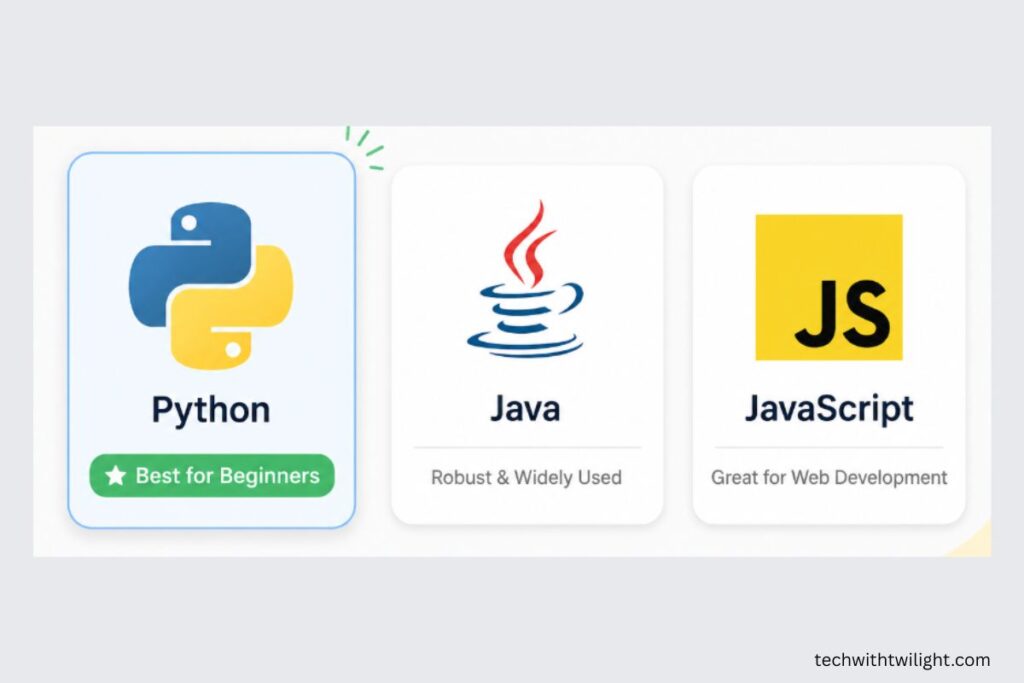
This is the most common question every student has in mind, and the answer in 2026 is clear: Start with Python.
Here’s why Python is the best choice for students starting from scratch:
- The syntax of Python is very similar to Plain English, so this gives you an advantage in time. You will not be pondering unknown symbols; rather, you will be building your logic.
- It is widely used in Artificial Intelligence, Data Science, Automation, and many more – all high-demand domains in the industry.
- Solutions to your problems are just one Google search away, because it has the largest beginner community online.
- Especially for students, it is the most commonly tested language in college placements and competitive coding rounds.
Why not Java, C++, or JavaScript?
Java and C++ are great languages – many universities teach them – but their syntax is strict and complex for complete beginners. JavaScript is an excellent choice if you are focused on building websites, but Python itself provides enough flexibility when you’re a beginner.
My suggestion: Learn Python first. Switching to any other language just takes 2 to 3 weeks, once you understand the programming logic using Python.
Can I Learn Programming for Free in India?
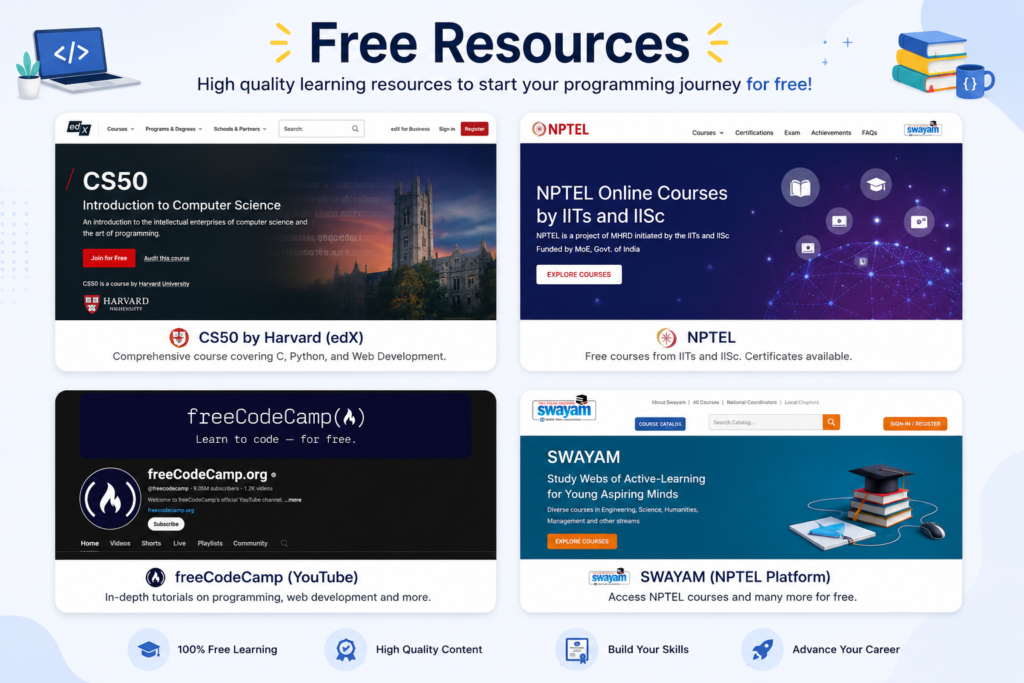
Absolutely – there are plenty of free resources out there.
Here are some of the free resources that can help you on your quest on – how to learn programming for free:
For complete beginners:
- CS50 by Harvard (edX) – This is the best programming course out there. It covers C, Python and web development with real projects. It is available online, for free.
- Python.org Official tutorial – It isn’t the most attractive or interesting one, but it is the reliable one. Excellent for accurate understanding of concepts.
- freeCodeCamp on YouTube – Looking for someone to hold your hands through every concept? Then opt for this one!
- NPTEL Courses – Free courses from IIT and IISc professors, available in regional languages and English. Certificates are affordable and recognised by recruiters.
For practice:
- HackerRank – Go with the Python track; beginner-friendly, also provides certificates which can be added to your resume.
- LeetCode – Slowly move towards this once your foundations are strong. Go-to platform for placements prep.
How to Start Coding from Scratch — Step by Step
I am going to give you something I wish someone gave me when I started. This is the exact path I wish someone had guided me through my quest on, how to learn programming as a beginner.
Step 1: Set Up Your Environment (Day 1)
Before cooking something, you need a kitchen. Just like that, before writing a single line of code, you need two things:
- Install Python – Go to python.org, download the latest version and install it. It literally takes 5 minutes.
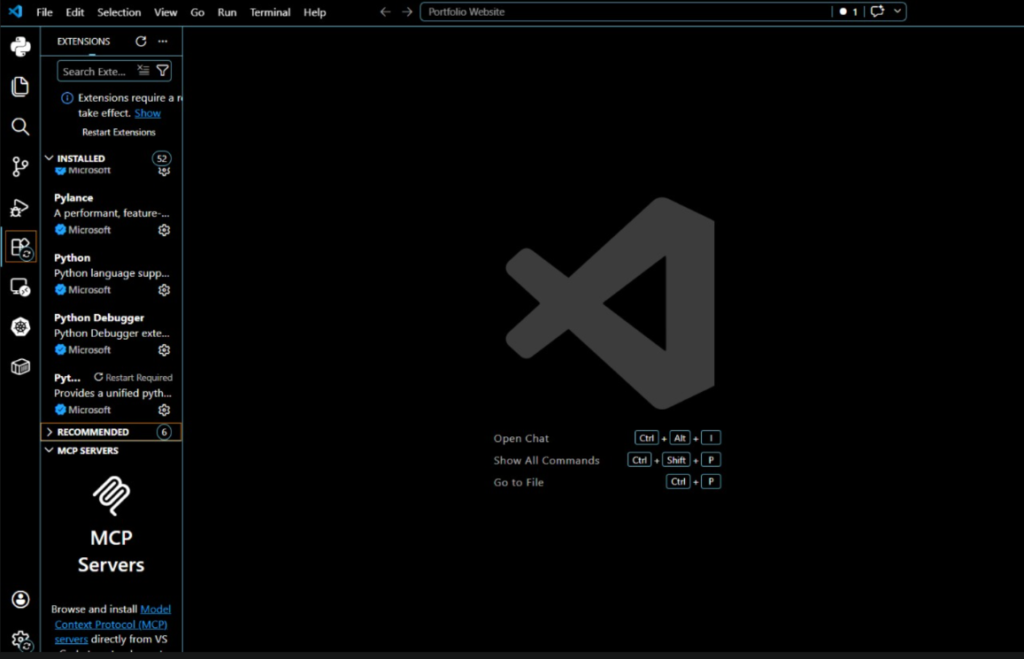
- Install VS Code – This is your kitchen, i.e., your code editor, where you will write all your programs. Download it from code.visualstudio.com for free. Then install the Python extension inside it.
That’s it. Your environment is ready. Many beginners procrastinate by researching so much about different tools. Honestly, it isn’t required. VS Code and Python are enough to start learning in 2026.
Step 2: Learn the Fundamentals First (Weeks 1–3)
Don’t jump to projects directly. Spend your first 3 weeks understanding the core concepts.
- Variables and data types – What is a number, a string, a list, a stack?
- Conditionals – If this happens, do this
- Loops – Repeat until a condition is satisfied
- Functions – Reusable pieces of code
- Input and Output – This is how your program talks to the user
The foundation of any programming knowledge that ever existed is these five concepts. Mastering these concepts makes the rest of the path smooth.
Step 3: Build Something Small Immediately (Week 4)
Do you know why most beginners quit? They make the mistake of skipping the most important step, i.e., building something from what they learned.
Start building a project after three weeks of theory. It doesn’t have to be impressive or mind-blowing. Here are some ideas to build at your level right now:
- A calculator that takes two numbers and performs basic operations
- A responsive quiz program, i.e., asks you questions and shows your score.
- A simple to-do list that saves the task to your folder or file.
Your perspective on programming changes by building something, or anything. Suddenly, everything you have learned until now becomes real and useful.
Step 4: Learn Problem Solving, Not Just Syntax (Month 2)
This is where you should be gradually shifting from memorising syntax to solving problems. This is what is required in placement drives, internship interviews, and actual developer job tests.
HackerRank and LeetCode will be your stepping stones. Start solving easy problems on these platforms – at least one problem every day. The difficulty level doesn’t matter. The habit of breaking a problem into steps and building a solution code is a skill that takes time to build.
I’d also recommend learning the basics of data structures and algorithms side by side – these are a constant in placement tests and university exams.
Step 5: Put Your Work on GitHub (Month 2–3)
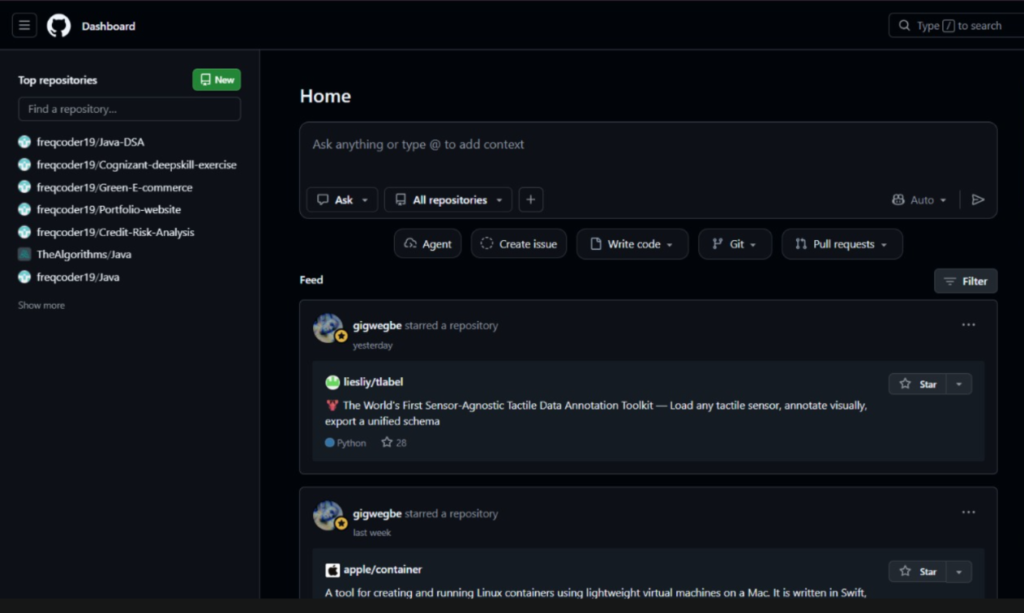
GitHub is a platform where developers store and show their code. Think of it as the serving bowls we use to present our prepared food.
If you want to be considered serious by recruiters, then having a GitHub profile, even with beginner projects, gives you an advantage over others. Create an account, upload your projects, and write short and crisp descriptions for them – simple!
I’ve personally seen students, even with no prior work experience, getting shortlisted for internships just based on their GitHub profile alone.
How Many Hours a Day Should I Practice Coding as a Beginner?
The answer to this question is simple – consistency beats intensity!
It is more fruitful to work at least an hour every day, rather than to toil for 6-7 hours on a single day. Programming is learnt by the brain only through repetition and daily exposure, not just by marathon sessions.
For a student managing university, here is a realistic schedule to follow:
- Weekdays – 45 minutes to 1 hour – theory or problem solving
- Weekends – 2 to 3 hours – Build something from what you learnt in that week
Following this pace consistently can make you go from zero to job-ready in 6 to 9 months. Remember, this isn’t a shortcut promise; instead, this is a realistic, tested timeline.
Common Mistakes Students Make When Learning to Code
Here are some common mistakes students make when they start learning programming – I also made a few of these:)
- Jumping between languages: You start with Python, then just in a week switch to Java. Somebody says that JavaScript is cool; immediately you jump again. Pick one and stick with it for at least 3 months. Language hopping is the number one reason beginners quit without progress.
- Watching tutorials, but not coding along: Watching someone code, and nodding your head as you understand doesn’t help you build the skill. Open your code editor, and type every single line, even if you understand.
- Waiting for the “right” time to build projects: There is no such thing as the “right” time in learning. Start your first project with doubts; they will be solved by the time you complete it.
- Avoiding errors: Errors aren’t failures. They help you understand the concept deeper. Every error message tells you what went wrong and exactly where it went wrong.
And let me tell you a secret: when you understand an error and make it right, you will never forget that particular error again. Honestly, without making mistakes, you are never going to find a solution to your query: How to learn programming?
Your 30-Day Beginner Roadmap
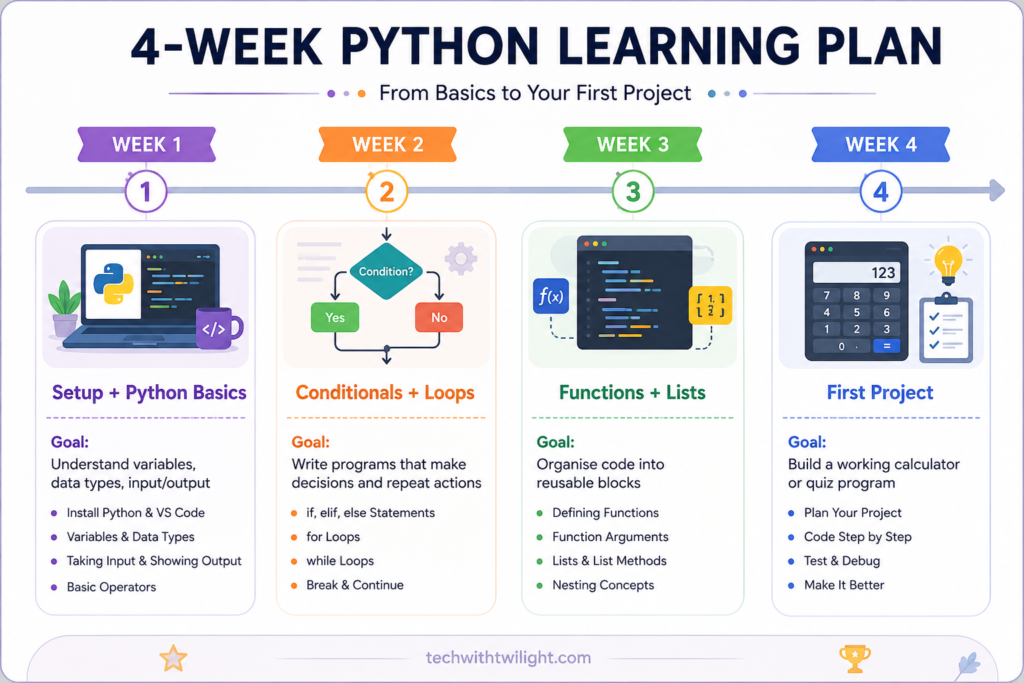
To just give you a little push, here is a realistic 30-Day Roadmap for Students:
|
Week |
Focus |
Goal |
|
Week 1 |
Setup + Python basics |
Understand variables, data types, input/output |
|
Week 2 |
Conditionals + loops |
Write programs that make decisions and repeat actions |
|
Week 3 |
Functions + lists |
Organise code into reusable blocks |
|
Week 4 |
First project |
Build a working calculator or quiz program |
By the end of 30 days, you will not be an expert programmer – but you will have laid the foundation, which gives you the confidence that you can do this! These 30 days will help you answer your day 1 question: How to learn programming?
Final Thoughts
Learning programming as a student has never been more accessible than in 2026. Free resources, supportive communities, and the tremendous job opportunities make this the ideal time for beginners.
The one thing I want you to take away from this guide on how to learn programming as a beginner is simple: Start Today, Not Tomorrow! Pick up your laptop, install Python, and write your first print(“Hello World”). That single line of code is the beginning of your learning journey, which can genuinely change your career. I hope this guide helped you find the answer to your question: how to learn programming?
If you found this guide to be helpful, bookmark it and share it with a friend who is searching “how to learn programming for beginners”. As you know, sharing is caring:) And stay tuned to Tech with Twilight – every time I publish, no bluff, practical tech guides just for students like you.
Have questions about getting started with programming? Drop them in the comments below – I read and reply to every single one.